Outlook Express Setup
This setup is for Outlook Express 5 on Mac OS 9.
It will also work with Entourage.
Launch Outlook Express,


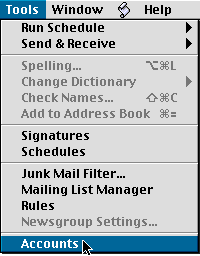
Click the Tools menu and click Accounts,
Click on New,
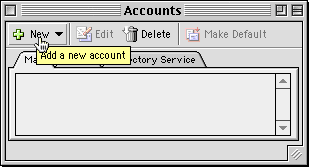
Use Account type: POP and click OK,

For Outlook Express 5.06 or higher...
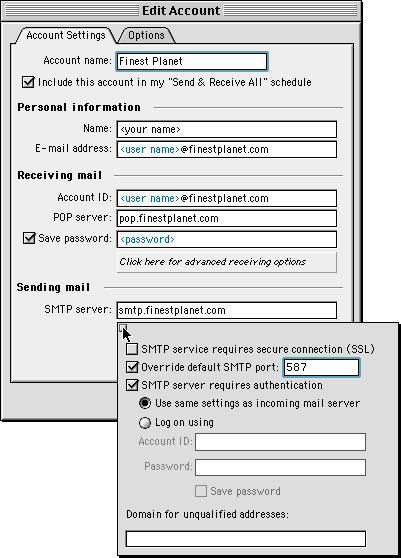
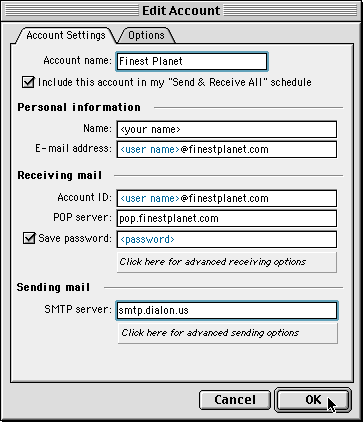
Set up the Edit Account window as shown below using your own
Finest Planet account information in the blue areas.
Also, click on "Click here for advanced sending options"
and change port 25 to 587 and check the two boxes as shown.
Close the advanced window and Click OK,
Note: If you want to download Outlook Express 5.06, you may do it here:
http://www.microsoft.com/mac/downloads.aspx
For Outlook Express 5.05 or lower...
Set up the Edit Account window as shown below using your own
Finest Planet account information in the blue areas.
Be sure to use smtp.dialon.us as the SMTP server.
Click OK,
Outlook Express is now ready to Send & Receive Finest Planet email.